
 HOW TO ORDER A PHOTOBOOK
"Please log in before placing an order" If you are not yet a member, please register first before making a purchase. Click to sign up

STEP 1
Select Your Product
Select a PHOTOBOOK or other products and add them to your cart. Then, review your selected items.

STEP 2
Enter the buyer’s information
Fill in the buyer’s information completely, including full name, phone number, email, and address.

STEP 3
Select a delivery method.
Please select a shipping method.

STEP 4
Select a payment method.
Choose your preferred payment method and complete the payment within the specified time.

STEP 5
Payment Notification
Upload proof of transfer through the system and submit your payment notification. Click here.

STEP 6
Track your order status
Wait for order confirmation. You can track the confirmation status through the system. Click here
 HOW TO USE THE ORDERING SYSTEM

 STEP 1 Select Your Product
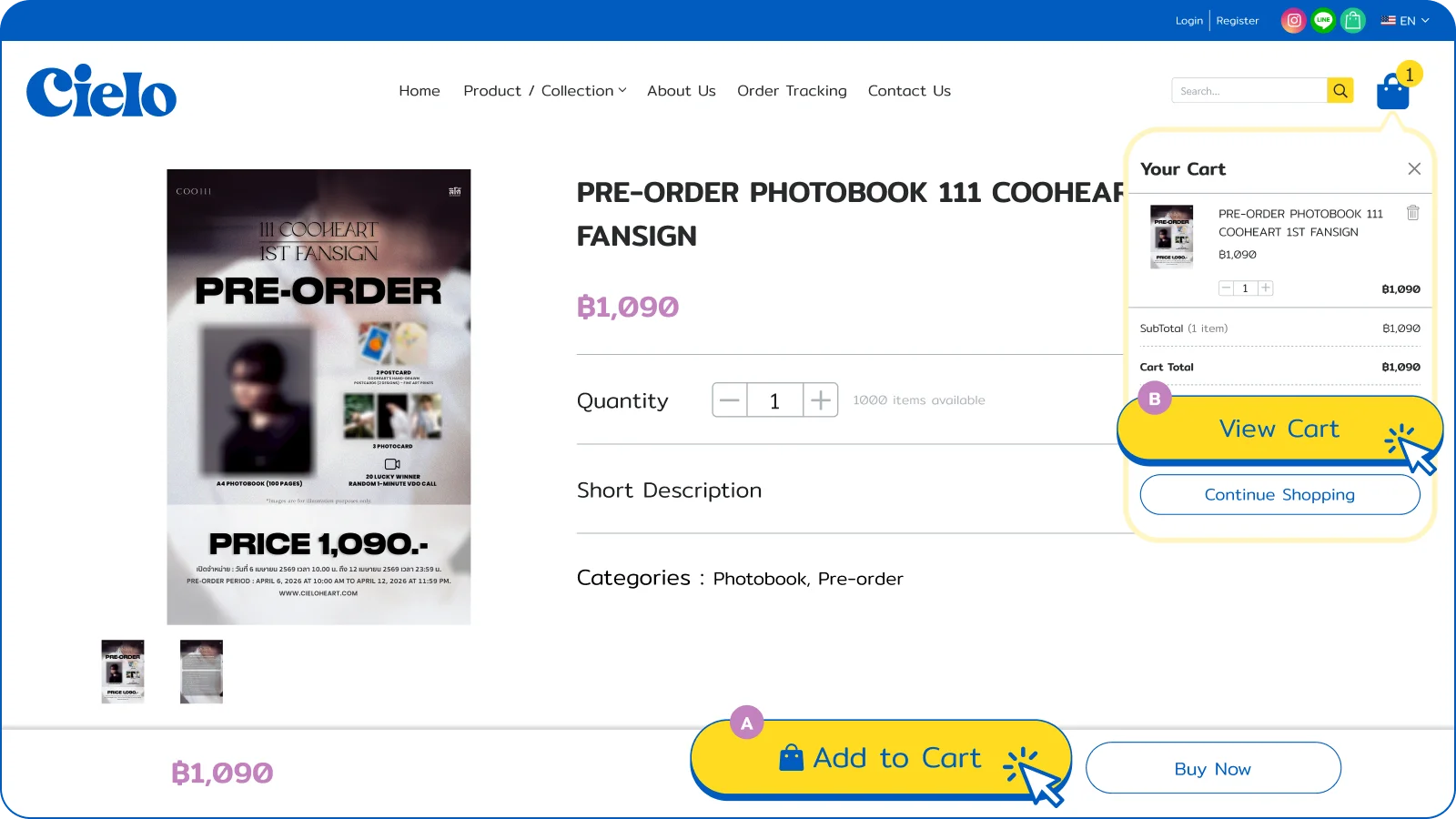
1.1) Choose your product
Choose your product "Add to Cart." Once you have all desired items, click "View Cart."
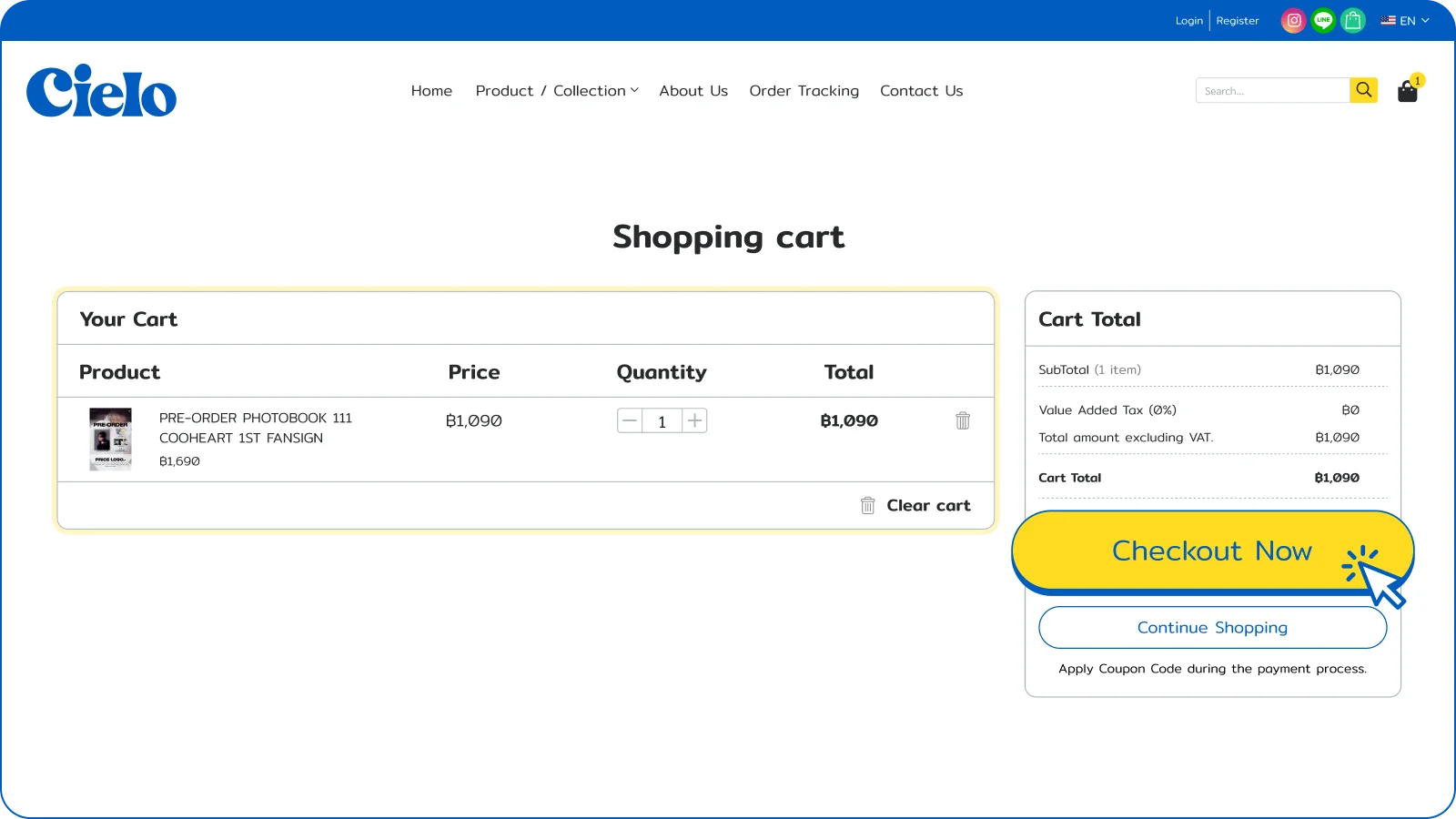
1.2) Confirm your order
Review your items to ensure they are correct, then click "Checkout" to proceed.
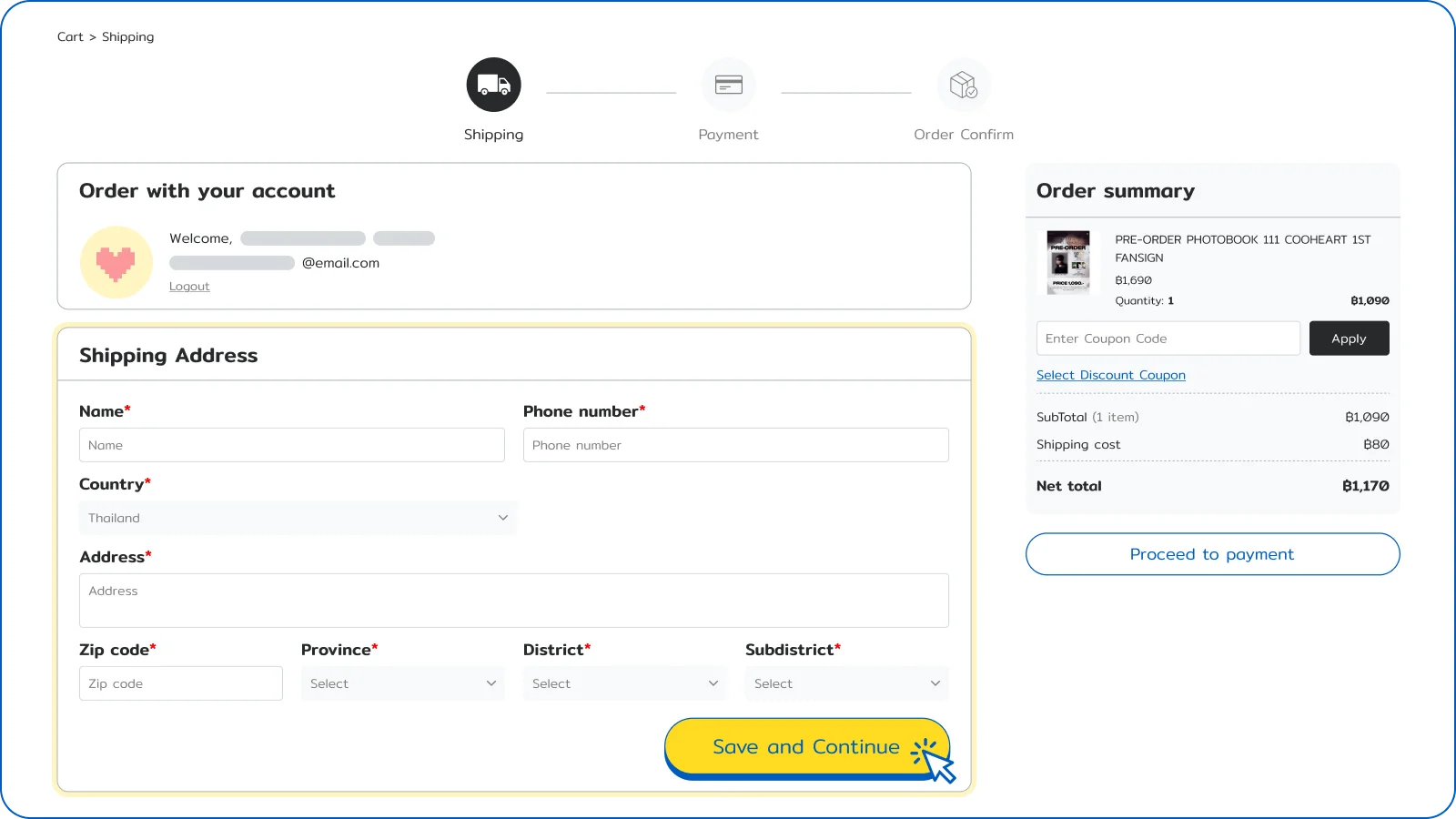
 STEP 2 Enter Purchaser Information
Fill in your full name, address, phone number, and email address accurately.
Important: Please verify all details, as information cannot be edited after submission.
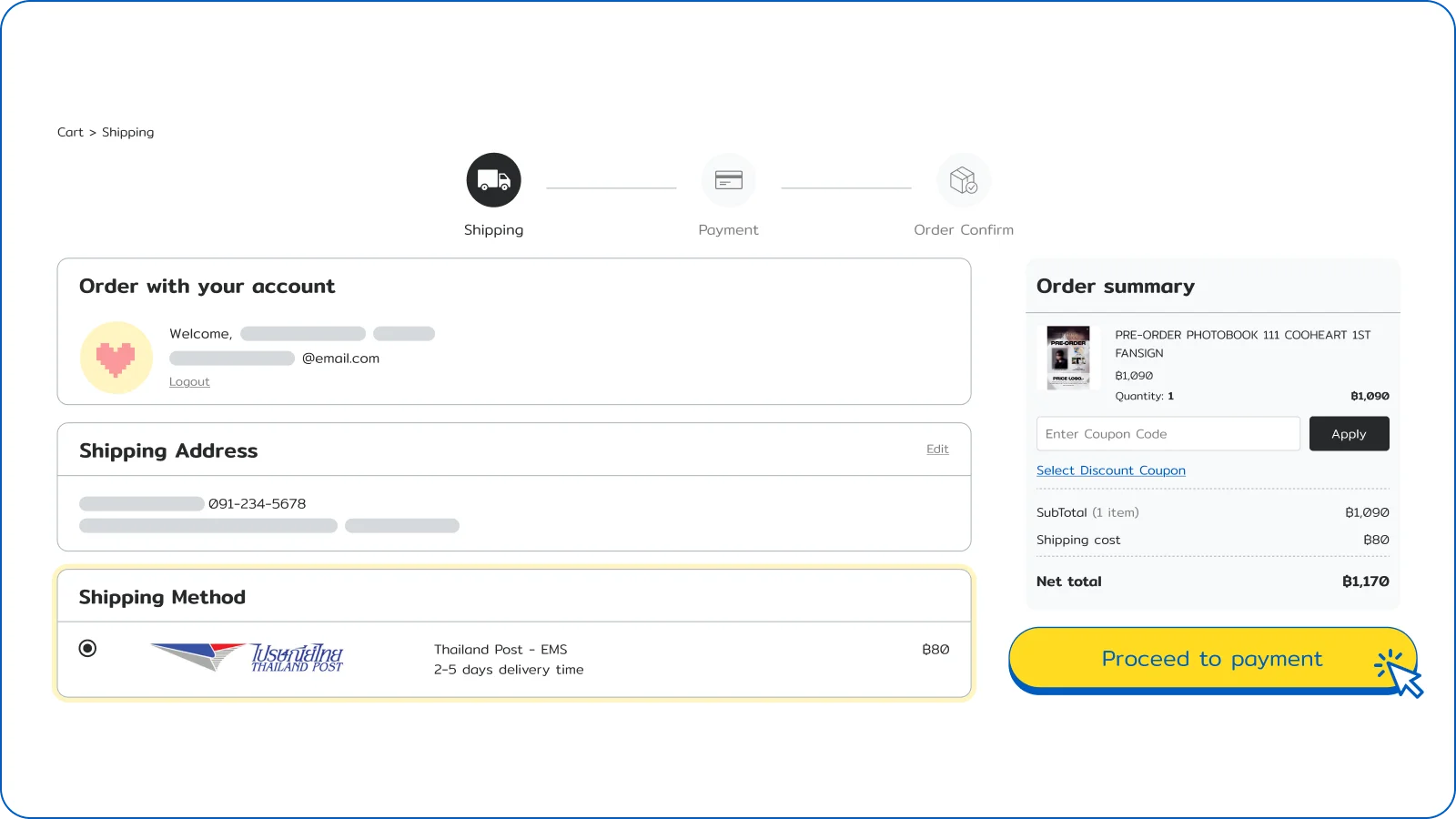
 STEP 3 Select Shipping Method
Please select a shipping method, then click "Proceed to Payment."
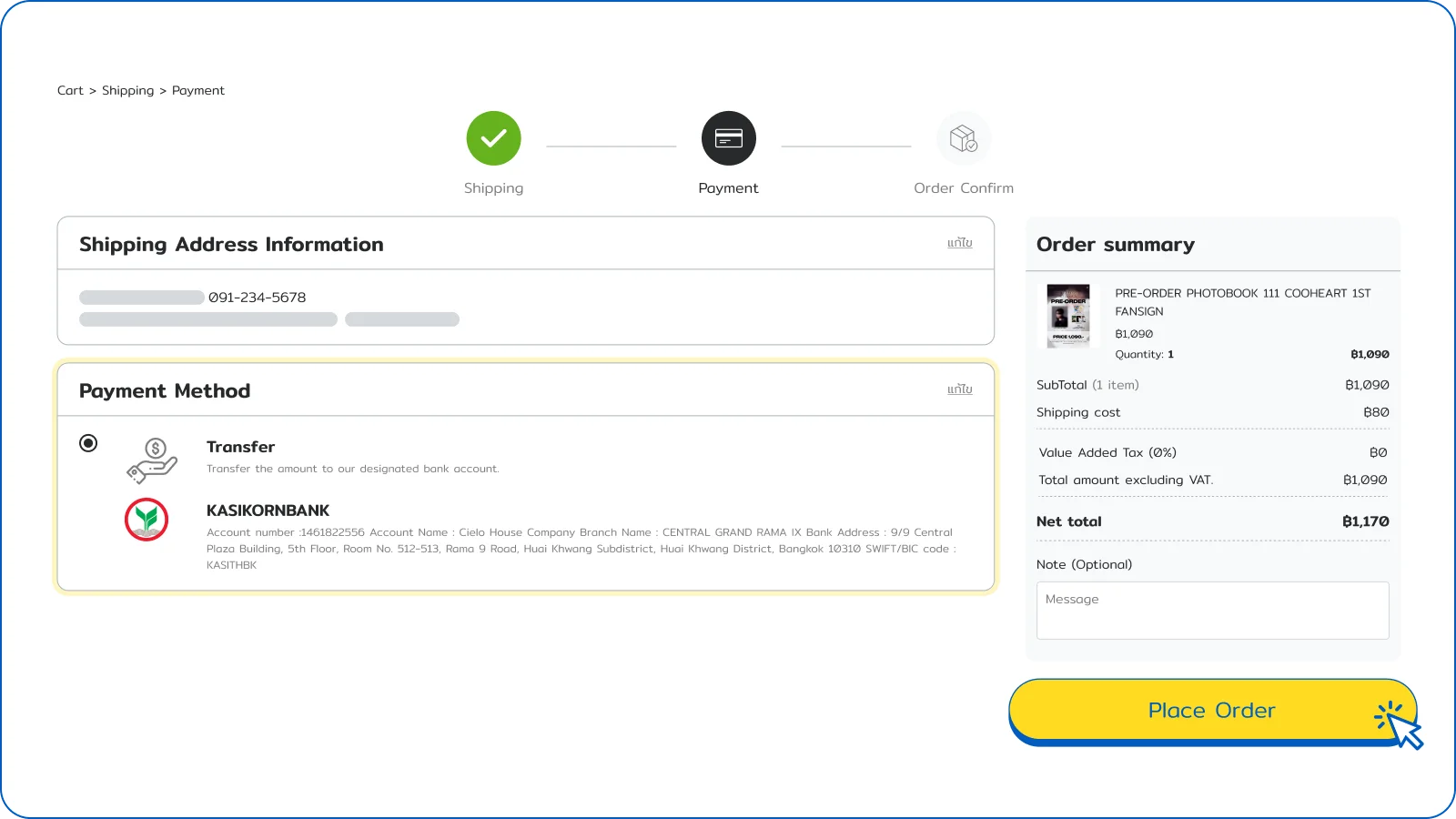
 STEP 4 Select Payment Method
Choose your preferred payment channel and click "Confirm Order."
Available options include:
- Bank Transfer
- Credit / Debit Card (Coming soon)
 STEP 5 Submit Payment Proof
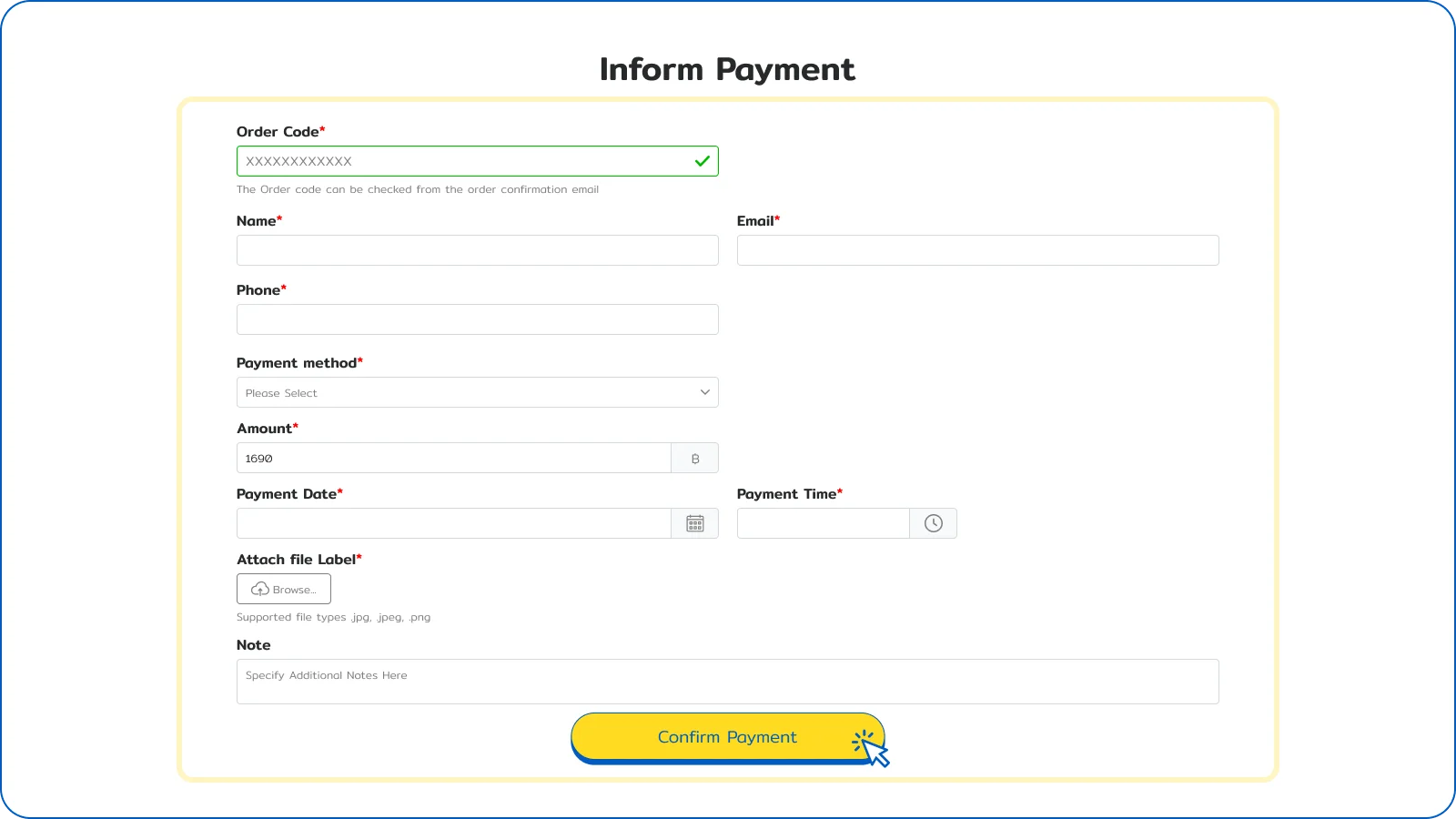
- After completing the transfer, click "Confirm Payment" or go to the "Informpayment" menu to confirm your order.
- On the payment notification page, please provide all required details and attach your transfer slip, ensuring the date and time of the transfer are correct.
 STEP 6 Informpayment
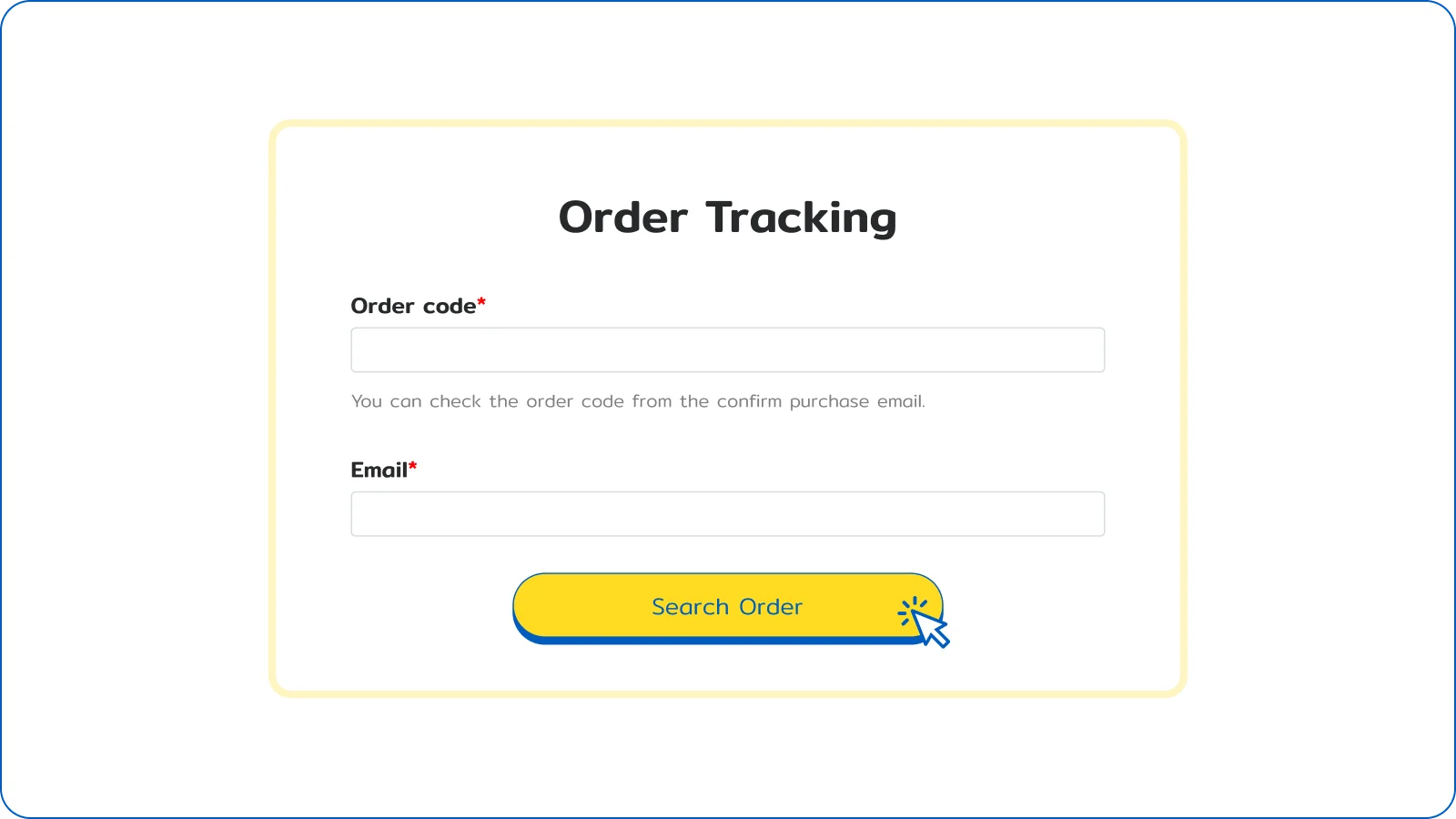
After submitting your payment proof, you can track your order status by using your Order Number and Registered Email under the "Order Tracking" menu.

Payment options

Important: All prices on this website are shown in Thai Baht (THB) and do not include international transfer fees. All transfer fees are the responsibility of the buyer.
 Bank account

Bank name : Kasikorn Bank
Account number : 146-182-2556
Account Name : Cielo House Company
Branch Name : CENTRAL GRAND RAMA IX
Bank Address : 9/9 Central Plaza Building, 5th Floor, Room No. 512-513, Rama 9 Road, Huai Khwang Subdistrict, Huai Khwang District, Bangkok 10310
SWIFT/BIC code : KASITHBK

Pay by credit card (Coming soon)
Visa, Mastercard, ETC. Click here.
 MakeWebEasy
- Home Home
- All Products All Products
- Collection Collection
- Photo Book Photo Book
- About Us About Us
- How to Order How to Order
- Contact Us Contact Us